


PopCat Tiles: Piano & Music
4.251.00 Reviews
App Specs
- Version
- 2.0.6
- Updated On
- License
- Free
- Downloads
- 10,000,000+
- Developer
- JMGame
- Categories
- Music
- Platform
- Android, iOS
Screenshots

 Analysis by AppCompare
When I first opened PopCat Tiles: Piano & Music, I expected a light rhythm game: choose a tune, follow the moving tiles and try not to lose the beat. That is the appeal, but the cat theme gives the familiar tapping format a warmer, less serious feel. I’d recommend it to someone who wants a quick music game rather than a full piano-learning tool, though it helps to know what kind of challenge to expect before settling in.
What a first session feels like
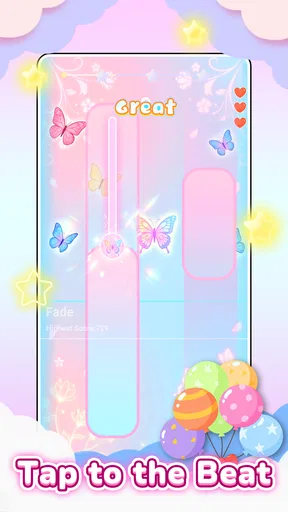
The basic loop is easy to grasp. You watch the tiles move, tap in time with the music and build confidence as you get used to the pace. That makes the first few minutes approachable even if you have not played this style of game before. The cute visuals soften the pressure, but the timing still matters: once a track gets busy, you need to pay attention rather than simply tap as fast as possible.
In the music-game category, this sits closer to a casual reflex challenge than to a piano simulator. Unlike a practice app that teaches notes or technique, it focuses on matching taps to a song’s rhythm. Compared with a conventional piano-tiles game, the cats provide a more playful identity, while the familiar lane-and-tile format keeps the rules easy to understand. If your main goal is learning an instrument, I’d choose a teaching app instead; if you want a quick test of timing with a little personality, this is a better fit.
It is a free game from JMGame, with optional in-app purchases priced from $1.99 to $19.99 per item. The age rating is Everyone, so its light presentation makes it an easy option to share with younger players, although I’d still review purchase settings together if a child will be using the device. The game has a 4.4 average from around 36,000 ratings and over 10 million installs, suggesting that the simple rhythm-game idea has found a broad audience.
Getting from install to your first good run
The useful first step is to treat the opening track as a timing check, not a score chase. Hold the phone comfortably, look a little ahead of the tile you need to hit and try to tap in a steady rhythm. That small change in focus can make the controls feel less frantic. I also find it sensible to start with a song that feels comfortable rather than picking a faster challenge just because it looks exciting.
For a first meaningful success, aim to finish a short run without letting a missed tap ruin your concentration. If you do slip, reset your attention on the next tile instead of trying to compensate with hurried taps. Rhythm games often punish that reaction: one rushed input can turn a small mistake into several. The satisfying improvement here is not only a higher score but noticing that your hands begin to follow the beat more naturally.
A practical everyday use is a brief break between tasks. I’d play a song while waiting for food to heat or during a quiet pause, then stop rather than letting a quick distraction turn into an unplanned session. Since the game asks for visual attention and precise taps, it is not something I’d use while walking, crossing a street or doing anything else that needs my eyes and hands. It works best when you can give the screen a minute of undivided attention.
Worth Reading Before You Choose

Flipboard Shows What News Apps Must Do Beyond the Feed

Switching to Android Auto Means Rethinking Your Driving Routine

Google Calendar Makes a Crowded Week Easier to Manage

Ludo King Makes the Most of the Minutes Between Plans

Baby Panda World Brings Quick Play to Modern Phones, but Its Game Library Feels Busy

ESPN’s Live Game View Makes Following Close Games Easier
Small habits that make tapping easier
One non-obvious tip is to keep your grip relaxed. Tensing your fingers can make repeated taps feel clumsy, especially when the pace rises. Use whichever hand position lets you reach the tiles without shifting the phone around, and avoid holding it so tightly that every correction becomes a bigger movement. If you are playing one-handed, a slower song is a better way to settle in than trying to prove you can manage a rapid section immediately.
Sound can also change how readable a run feels. Playing with headphones may help you follow the pulse more clearly, but it is not a magic fix for timing; the moving tiles still need your attention. In a shared room, keep the volume considerate and use the visual rhythm as your guide. If you are having trouble, pause between attempts and ask whether you are tapping to the beat or reacting late to the tile. That distinction gives you something concrete to adjust.
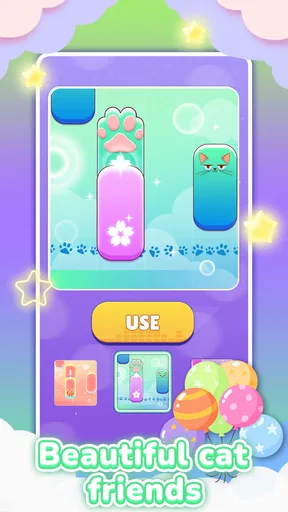
The game includes customization, so unlocking a cat avatar or background can be a pleasant side goal. I’d treat these as rewards for playing rather than a reason to spend. Optional purchases can add up, and the core appeal is the tapping itself, so it makes sense to try the free experience first and decide later whether any extras matter to you. If you are setting it up for a child, discussing purchases before play is more useful than assuming every unlock is earned through progress.
Where the fun can turn into friction
The same simplicity that makes the game welcoming can also limit it. If you want detailed instruction, a way to build piano skills or a deep music library organized around deliberate practice, a rhythm-tapping game will not meet that need. And if fast visual action tends to tire your eyes or hands, short sessions are wiser than pushing through repeated attempts. A missed tile is part of the challenge, but it can feel frustrating if you expect every song to be relaxed background play.
Another trade-off is that familiarity with the format cuts both ways. New players can understand the task quickly, while people who have played many tile-based rhythm games may find the central action recognizable. The cats and presentation add charm, but they do not change the fact that success depends on timing and repetition. I would choose this over a plain-looking alternative when the playful theme matters; I would choose a more structured music game when I want a different kind of progression or a stronger focus on musical learning.
Who should try it—and who may prefer another game
I think it is best for casual players who enjoy music, cute character design and short bouts of concentration. It can also suit someone who wants to share a simple game with a younger family member, as long as an adult handles purchase expectations. People who prefer strategic choices, narrative, or long sessions with a clear story arc may find the repeated tap-and-follow loop too narrow. Likewise, anyone hoping to improve at piano should look for lessons and practice exercises rather than expecting a score-based game to teach technique.
If you are unsure whether the pace will suit you, make your first session deliberately modest: try a comfortable song, pay attention to how the taps feel, then stop after a few attempts. That gives you a better sense of whether the challenge is enjoyable or merely stressful. A high score is not the only useful test; if you finish feeling that you could comfortably try again, the game is probably a good fit for your breaks.
The Basics: What’s the Buzz About?
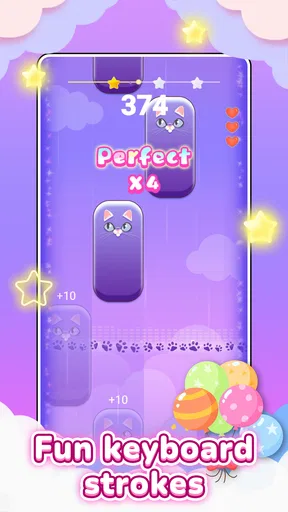
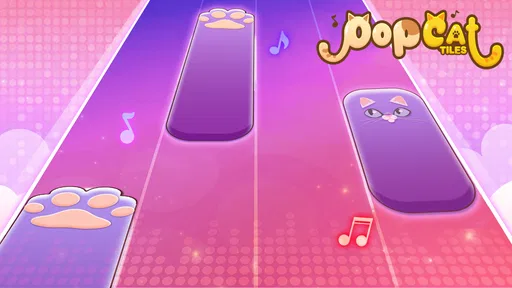
The premise of PopCat Tiles: Piano & Music is pretty straightforward. You tap on tiles as they scroll down your screen to the rhythm of the music. What sets it apart is the adorable cat theme running throughout the game. It's like a delightful mashup of a piano tiles game and a world of feline charm. The graphics are vibrant, and the cats are, well, irresistibly cute!
Gameplay: Tapping into Fun
Once you dive into the game, you'll find yourself greeted by a simple interface. The learning curve is practically non-existent, which is great for newbies. You start with a few basic songs, and as you progress, more tracks become available. The levels vary in difficulty, so you'll always find a challenge that suits your mood.
The real magic happens when you start tapping. The gameplay is smooth, and the music selection is diverse, ranging from classical pieces to pop hits. Each successful tap feels satisfying, especially when you're on a roll and hitting notes perfectly. Oh, and did I mention the cats? Yeah, they cheer you on with every perfect note. It's a small touch, but it adds a lot of personality to the game.
Features: More Than Just Tapping
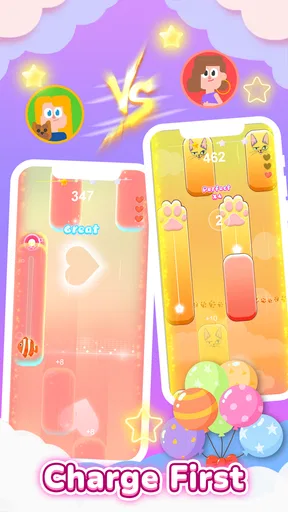
Beyond the basic gameplay, there are a few features that stand out. The game offers different modes, including a battle mode where you can challenge friends or other players. It spices things up and adds a competitive edge.
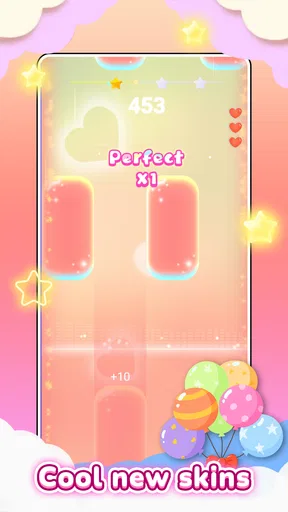
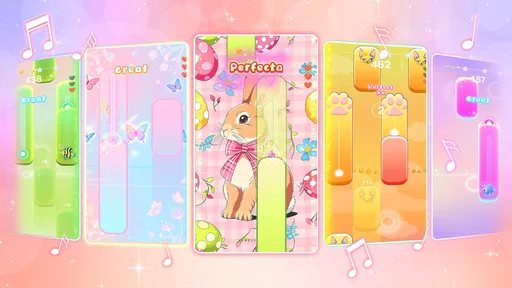
There's also a customization option where you can unlock different cat avatars and backgrounds. It's a fun way to personalize your experience and make your gameplay feel unique. Plus, who doesn't want to collect all the cute cats?
For those who love a sense of achievement, there are plenty of achievements to unlock. Whether it's hitting a streak of perfect notes or completing levels without missing a beat, there's always something to aim for.
Soundtrack: Music to Your Ears
The soundtrack is, without a doubt, a highlight. With a mix of classical, pop, and even some custom tunes, the variety keeps the game engaging. The music quality is top-notch, making it a joy to play with headphones for an immersive experience.
Each track is well-synced with the gameplay, ensuring that every tap feels perfectly timed. It’s the kind of game where you’ll find yourself humming the tunes even after you’ve put your phone down.
Visuals and Design: A Feast for the Eyes
Visually, the game is a treat. The colors are vibrant, and the design is sleek. The animations are smooth, and the cats are animated with such charm that it’s impossible not to smile while playing.
The interface is user-friendly, and navigating through menus is a breeze. Everything is laid out intuitively, making it easy for players of all ages to pick up and enjoy.
Final Thoughts: Is It Worth Your Time?
In conclusion, PopCat Tiles: Piano & Music is a delightful game that offers tons of fun for music lovers and cat enthusiasts alike. Its simple yet addictive gameplay, combined with adorable visuals and a fantastic soundtrack, makes it a must-try.
Whether you're looking to kill some time or challenge yourself with increasingly difficult levels, this game has something for everyone. So, if you’re ready to tap your way through a world of music and cats, give it a download and join the fun!
Pros
- Engaging gameplay with catchy tunes.
- Smooth and responsive touch controls.
- Variety of songs and genres available.
- Frequent updates with new content.
- Offline play mode available.
Cons
- Occasional ads can be intrusive.
- Limited free tracks without in-app purchases.
- High battery consumption during play.
- Requires internet for some features.
- Some songs locked behind paywall.
FAQs for PopCat Tiles: Piano & Music
What is PopCat Tiles: Piano & Music, and how does it work?
PopCat Tiles: Piano & Music is a rhythm-based game that combines the excitement of playing piano tiles with catchy music tracks. Players tap on black tiles in sync with the music to score points, while avoiding white tiles. The game features various music genres and challenges to keep players engaged.
Is PopCat Tiles: Piano & Music free to play?
Yes, PopCat Tiles: Piano & Music is free to download and play. However, it offers in-app purchases that provide additional features, such as ad-free gameplay and exclusive music tracks. Players can choose to enjoy the free content or enhance their experience with optional purchases.
What are some key features of PopCat Tiles: Piano & Music?
PopCat Tiles: Piano & Music offers a wide variety of music tracks, ranging from classical to pop. The game includes different levels of difficulty, allowing players to challenge themselves as they improve. It also features colorful graphics, smooth animations, and the adorable PopCat character to enhance the gaming experience.
Does PopCat Tiles: Piano & Music require an internet connection?
While PopCat Tiles: Piano & Music can be played offline, an internet connection is required to access certain features, such as downloading new music tracks and participating in online leaderboards. Playing online also ensures the game is updated with the latest content and challenges.
Can I play PopCat Tiles: Piano & Music on multiple devices?
Yes, you can play PopCat Tiles: Piano & Music on multiple devices. By signing in with your account, your progress can be synced across Android and iOS devices, allowing you to pick up right where you left off. Ensure you have a stable internet connection for seamless syncing.


